Streaming on Apple TV: A Beginner's Guide
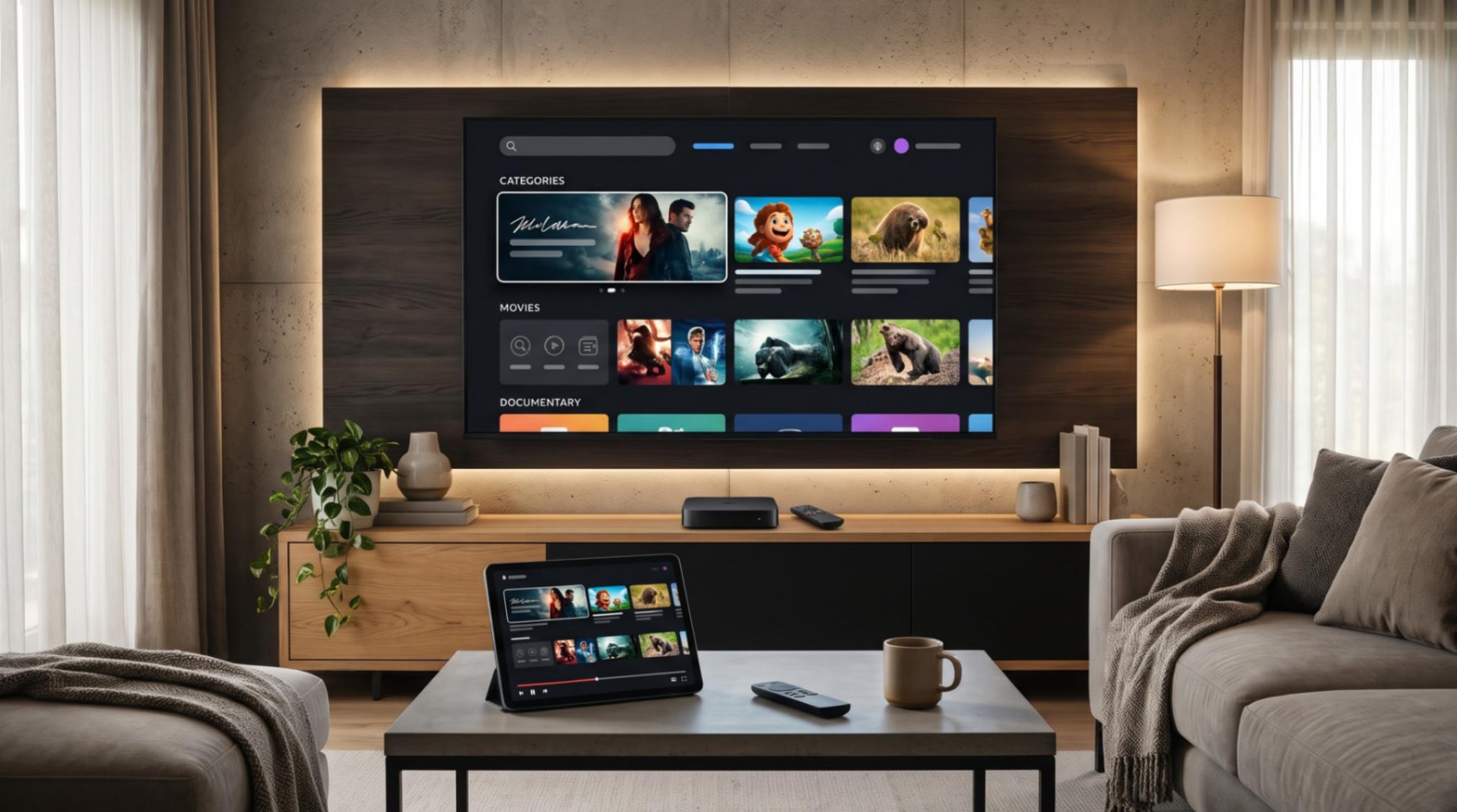
Last verified: November 26, 2026. This guide explains Apple's streaming service and Apple TV app for readers in the United States and other supported markets. Subscription prices, available shows, sports, channels, payment methods, and device features vary by country and region. Any U.S. price below is labeled as such and should not be treated as a local price elsewhere.
Quick answer: Apple TV is Apple's subscription streaming service for Apple Original series, films, documentaries, and selected live sports. You watch it inside the Apple TV app on supported smart TVs, streaming devices, phones, tablets, computers, and at tv.apple.com. You do not need to buy an Apple TV 4K box or own an iPhone. The app also includes a Store for movies and shows that may require a separate rental or purchase, plus optional third-party channels in supported regions.
The most important thing to understand is that Apple TV, the Apple TV app, and Apple TV 4K are three different things. Once you know which one you need, choosing a plan and starting to stream is straightforward.
Apple TV vs. the Apple TV App vs. Apple TV 4K
Apple uses similar names for three related products. They are connected, but they are not interchangeable.
| Name | What it is | Do you pay for it? | What it does |
|---|---|---|---|
| Apple TV | Apple's subscription streaming service (previously called Apple TV+) | Yes, unless you qualify for a promotion or an eligible bundle | Streams Apple Originals and selected sports in supported markets |
| Apple TV app | The app used to discover and watch content | The app itself is free to download where available | Provides access to Apple TV, your library, rentals and purchases, and optional channels where supported |
| Apple TV 4K | Apple's physical streaming box that connects to a television through HDMI | Yes; it is a separate hardware purchase | Runs tvOS and lets you use streaming apps and services on your TV |
You can subscribe to Apple TV and use the Apple TV app without buying Apple TV 4K hardware. Equally, owning an Apple TV 4K does not automatically mean every movie or third-party service shown in the app is included in your subscription.
Apple now uses Apple TV as the service name. Older articles, devices, and search results may still say Apple TV+. They refer to the same subscription service, not to the physical Apple TV 4K device.
What Does an Apple TV Subscription Include?
An Apple TV subscription primarily gives you access to Apple's own entertainment catalog. That includes original television series, films, documentaries, and children's programming. Apple also offers selected live sports in certain markets.
The catalog is curated around Apple-produced and commissioned content. It is not a universal package containing every movie or television show visible in the Apple TV app.
Apple Originals: Series, Movies, and Documentaries
Apple TV's core library consists of Apple Originals. New releases are added regularly, but the size and mix of the catalog differ from broad services that aggregate large libraries of licensed movies and older television seasons.
If you mainly want a particular series or film, search for the exact title in the Apple TV app before subscribing. A title page may show whether it is included with Apple TV, available through another channel, or offered as a separate rental or purchase.
Live Sports and Regional Programming
Apple TV includes selected sports programming, but the rights are market-specific. For example, Apple's U.S. offering includes Formula 1 coverage beginning in 2026, while MLS and Friday Night Baseball availability is also subject to the country, season, and current rights arrangement.
Do not assume that a sports event advertised on Apple's U.S. website is included in every country's subscription. Check the Apple TV page for your country and the event's availability in the app before paying.
Does Apple TV Include Netflix, Disney+, or Prime Video?
No. An Apple TV subscription does not automatically include Netflix, Disney+, Prime Video, or every other service that may appear in the Apple TV app.
The app can act as a discovery and viewing hub, but third-party subscriptions remain separate unless a specific bundle or offer says otherwise. You may need to open the relevant provider's app and sign in with that provider's account.
This distinction also applies to movies in the Store: seeing a title in the Apple TV app does not mean it is included in the Apple TV subscription.
How Much Does Apple TV Cost?
Apple TV pricing depends on the country, billing route, promotion, and bundle. Apple changes prices and offers over time, so always check the amount displayed at checkout in your own region.
U.S. Subscription Price
As displayed on Apple's U.S. website on November 26, 2026, an individual Apple TV subscription costs $14.99 per month after an eligible seven-day free trial. Apple's U.S. page also lists Apple TV as part of Apple One, whose plans start at $21.95 per month.
These are U.S. prices, before any applicable taxes, and are not a global price list. The Apple TV website may display a different amount or offer when opened from another country. See Apple's official U.S. Apple TV pricing page for the current offer.
Free Trials and Promotional Offers
A seven-day trial may be available to eligible new subscribers. Apple also advertises promotional access with certain new Apple devices and through selected bundles or student offers in eligible markets.
Promotions have conditions. They may require redemption within a set period, may be limited to eligible accounts, and may not be available to customers who have already used a similar offer. Read the renewal date and post-trial price before confirming.
A free trial is not the same as a permanently free plan. Unless you cancel before the renewal date, the subscription generally changes to a paid plan under the terms shown when you sign up.
Apple One and Other Bundles
Apple One combines Apple TV with other Apple services in one subscription. It can be worth considering if you already pay separately for several included services and will genuinely use them.
Do not choose a bundle simply because its headline price looks lower. Compare the bundle's monthly cost with the services you currently use, check which plan tiers are included, and confirm availability in your country. Apple's Apple One overview lists the current plans and regional details.
Rental and Purchase Costs Are Separate
The Apple TV subscription does not cover every title in the Apple TV Store. Some movies and shows are sold or rented separately. The price is shown on the title page before you confirm the transaction.
A simple way to avoid surprise charges is to check the button on the title page:
- Play may mean the title is already available through a subscription or previous purchase.
- Subscribe means a subscription is required.
- Rent means you pay for a limited viewing period.
- Buy means you purchase the title for your Apple Account library.
The exact options depend on the title, device, and region.
Where Can You Watch Apple TV?
You can stream Apple TV on supported Apple and non-Apple devices. Compatibility is not identical across every model, operating-system version, or country, so check the app store on your device if you cannot find the app.
| Device | How to watch | Important note |
|---|---|---|
| iPhone and iPad | Install or open the Apple TV app | Sign in with your Apple Account |
| Android phone or tablet | Download the Apple TV app from Google Play where available | App and subscription availability may vary by country |
| Mac | Use the Apple TV app | Update macOS for the latest supported features |
| Windows PC | Use Apple's supported Windows app or a compatible browser | Some features differ from Apple devices |
| Smart TV | Install the Apple TV app from the TV's app store | Supported brands and models vary |
| Roku, Fire TV, and other streaming devices | Search the device's app store for Apple TV | Not every feature is supported on every device |
| Web browser | Visit tv.apple.com | A compatible browser and internet connection are required |
| Apple TV 4K | Open the Apple TV app on the device | The hardware is optional, not a subscription requirement |
For the latest device-specific instructions, see Apple's Apple TV app user guide and its guide to watching on smart TVs and streaming devices.
Can You Watch Apple TV Without an Apple Device?
Yes. You do not need an iPhone, iPad, or Mac. You can watch through the Apple TV app on supported Android devices, smart TVs, and streaming devices, or use a web browser at tv.apple.com.
You still need an Apple Account to sign in and manage the subscription. Some purchase, download, and account-management features may be limited on non-Apple devices.
How to Watch Apple TV on Android
- Open Google Play on your Android phone or tablet.
- Search for Apple TV.
- Check that the app is available for your device and region, then install it.
- Open the app and sign in with your Apple Account.
- Select the Apple TV area and follow the subscription or trial instructions if you do not already subscribe.
- Choose a title and start streaming.
If the app does not appear in Google Play, check regional availability and device requirements. Do not assume that changing your device region will make an unsupported subscription or payment method available. Apple's Android viewing instructions explain the supported process.
How to Watch Apple TV on a Smart TV
- Connect your television to the internet.
- Open its app store or apps screen.
- Search for Apple TV.
- Install the app if your model supports it.
- Open Apple TV and choose the sign-in option shown on screen.
- Sign in with your Apple Account, using a phone or browser code if the TV offers that option.
- Open the Apple TV section and play a title included with your subscription.
If you cannot find the app, your TV model may not be supported or may need a software update. You can use a compatible streaming device connected to the TV as an alternative. Some televisions let you watch content but do not support purchases or subscriptions inside the app; in that case, subscribe on another supported device and sign in on the TV.
How to Watch Apple TV on a Computer
On a supported Mac or Windows computer, open Apple's Apple TV app if it is available for your operating system, or visit tv.apple.com in a compatible browser. Sign in, choose the Apple TV section, and select a title.
Browser playback is useful when you do not want to install an app. However, some features such as offline downloads are not available through every browser or device combination.
How to Sign Up for Apple TV
You can start a subscription from Apple's website or through the Apple TV app on a supported device.
- Visit tv.apple.com or open the Apple TV app.
- Select the Apple TV section.
- Choose Sign In, Sign Up, Get Apple TV, or the trial option displayed for your account.
- Sign in with an existing Apple Account or create one.
- Review the price, trial length, billing date, and renewal terms shown for your region.
- Add or confirm a valid payment method if requested.
- Confirm the subscription and begin watching.
The labels and screens may differ by device. If the app does not let you subscribe directly, use Apple's website or another supported device. You can still watch on devices signed in to the same Apple Account.
How to Use the Apple TV App
The Apple TV app brings several content types together. The exact tabs and layout can vary by platform, but the main areas generally include Apple TV, Store, Library, and search or discovery features.
Find a Show or Movie
Use Search to enter a title, actor, genre, or other term. Open the result and inspect the provider and price information before selecting Play, Subscribe, Rent, or Buy.
A title page can include content from different sources. Check the wording carefully: a listing in the app is not proof that the title is part of your Apple TV subscription.
Continue Watching and Personalize Recommendations
The app can help you resume supported titles and surface recommendations based on your activity. If you use the app on more than one supported device with the same account, viewing progress may carry across devices.
The available profile and personalization controls differ by platform. If you share a household account, review profile settings and restrictions rather than assuming every device presents the same controls.
Understand the Store, Library, and Channels
- Apple TV: the subscription service and its included Apple Originals.
- Store: movies and shows that may be available to rent or buy.
- Library: your purchased content and other items associated with your account.
- Channels: optional subscriptions to participating third-party services, where available.
Apple TV channels are not the same as installing a provider's standalone app. A channel subscription can let you watch supported content inside the Apple TV app, but availability and features vary by region and device. Read Apple's guide to subscribing to channels before subscribing.
Apple TV Subscription vs. Renting or Buying a Movie
This is one of the most important distinctions for new users.
| Option | What you pay for | How long you can watch |
|---|---|---|
| Apple TV subscription | Access to the subscription catalog while your plan is active | While subscribed and while the title remains available |
| Movie rental | A one-time rental fee for a limited period | Usually 30 days to start watching; after playback begins, 48 hours to finish |
| Movie purchase | A one-time purchase added to your Apple Account library | Generally remains available in your library, subject to Apple's content and account terms |
| Apple TV channel | A separate recurring subscription to a participating provider | While that channel subscription is active and the title remains available |
For an Apple movie rental, Apple states that you have 30 days to begin watching. Once you start playback, you have 48 hours to finish; the rental expires when the rental window ends. The 30-day and 48-hour periods are not an unlimited viewing entitlement.
Not all devices support buying, renting, or subscribing directly in the app. You may need to complete the transaction on another supported device using the same Apple Account. See Apple's official instructions for subscribing to and buying content.
Apple TV Features: Downloads, Quality, Subtitles, and Family Sharing
Can You Download Apple TV Shows to Watch Offline?
Apple allows eligible movies and shows to be downloaded in the Apple TV app on supported iPhone, iPad, Mac, Windows, and Android devices. This is useful when travelling or when you expect an unreliable internet connection.
Downloads are not available on every platform. Apple TV 4K, Apple TV HD, smart TVs, streaming devices, and the web player at tv.apple.com are streaming-only; you cannot save subscription videos for offline playback on those screens. Download eligibility also depends on the title, device, channel, and rights.
Some downloads have expiry rules. Apple says certain subscription titles expire 48 hours after playback begins or 30 days after download, whichever comes first. Channel downloads can have their own expiry and device limits. Before travelling, download eligible titles in advance over a reliable connection and confirm that they appear in your device's Downloaded section. See Apple's download and streaming limits and Apple TV library guide.
Does Apple TV Support 4K and HDR?
Apple TV can deliver high-quality video on supported titles and compatible devices, but 4K, HDR, Dolby Vision, and Dolby Atmos depend on the specific content, hardware, display, audio equipment, subscription or purchase format, and internet connection.
A 4K television alone does not guarantee that every stream will play in 4K. If picture quality matters, check the title's listed format and your device's specifications. The Apple TV subscription can be watched without owning the Apple TV 4K box.
Subtitles, Captions, and Audio Languages
Many titles provide subtitles, closed captions, or alternate audio languages, but the options differ by program and region. During playback, open the audio and subtitles controls and choose from the languages offered for that title.
If a language is missing, it may not be available for that particular program. Do not assume every Apple Original has every subtitle or dubbing language.
Family Sharing: Can Multiple People Use One Subscription?
Apple says an Apple TV subscription can be shared with up to five other family members through Family Sharing, for up to six people in the group including the organizer. Each person should use their own Apple Account rather than sharing one password.
Family Sharing and simultaneous streaming are related but different limits. For most Apple TV subscription content, Apple allows up to six simultaneous streams, although some titles may have a lower limit. Most Apple TV channels allow up to three simultaneous streams, but individual channel rules can differ. Confirm the current rules in Apple's guide to sharing subscriptions with family and its download and streaming limits.
How to Cancel Apple TV
If you only wanted to watch one series, remember to check the renewal date before the trial or paid billing period ends.
The cancellation path depends on where you subscribed:
- iPhone or iPad: open Settings, tap your name, then Subscriptions. Select Apple TV and follow the cancellation steps.
- Mac: open the App Store, select your account, then Subscriptions and manage Apple TV.
- Windows: open the Apple TV or Apple Music app, choose your account, then View My Account and Manage next to Subscriptions.
- Android: if Google Play bills you, cancel through Google Play. If Apple bills you directly, use account.apple.com.
- Web: use Apple's subscription-management page or the billing route shown for your account.
If you subscribed through a third-party provider, mobile app store, carrier, or bundle partner, you may need to cancel through that provider instead of Apple. Check the original receipt or subscription listing to identify who bills you. A subscription billed by a family member or a different Apple Account must be managed by that account holder.
Apple's subscription cancellation guide provides current instructions. If you started a trial and do not want it to renew, Apple advises cancelling at least 24 hours before the trial ends. After cancelling, check that the confirmation appears and note the date when access ends.
Common Apple TV Problems and How to Fix Them
Apple TV App Is Missing From My TV
Check the TV's app store and confirm the exact model is supported. Install available system updates and restart the television. If the app is not offered for your model or country, use a supported streaming device or a browser instead.
Apple TV Says My Subscription Is Not Active
Make sure you are signed in with the Apple Account that purchased the subscription. Check the subscription status and billing method in your account settings. If you subscribed through a partner, verify the partner's billing status and account-linking instructions.
A Movie Appears in the App but Asks Me to Pay
The title may be a rental, purchase, or third-party channel item rather than part of the Apple TV subscription. Check the title page for its provider and payment label before confirming a charge.
Apple TV Keeps Buffering or Playing at Low Quality
- Check whether other apps and websites are also slow.
- Restart the streaming device and router.
- Move closer to the Wi-Fi router or use Ethernet if the device supports it.
- Pause other large downloads on the network.
- Update the Apple TV app and your device software.
- Try another title to see whether the problem is limited to one stream.
Video quality adjusts to the connection and device. A 4K stream needs more stable bandwidth than lower-resolution playback, so test the connection rather than assuming the subscription is faulty.
I Cannot Sign In or Complete a Purchase
Check your Apple Account credentials, two-factor authentication prompts, payment method, and billing country. Some devices support playback but not in-app purchases. If a purchase fails on a television, try completing it on another supported device and then sign in to the same account on the television.
For device-specific help, start with Apple TV Support.
Is Apple TV Worth Paying For?
Apple TV is most compelling when you want Apple's original series and films, prefer an ad-free subscription experience for Apple Originals, and have a few specific titles you want to watch. It can also be useful if your household already uses Apple services or qualifies for an eligible bundle.
It is less suitable as the only streaming service for someone who expects a huge library of older movies, broad third-party catalogs, or every live sports league in one place. The app's Store and channel listings can make the selection look broader than the subscription catalog actually is, so check what is included before subscribing.
Who Should Subscribe?
Apple TV is worth considering if:
- You regularly watch Apple Original series, films, and documentaries.
- You want to stream on a supported non-Apple device without buying Apple hardware.
- You value an ad-free experience for Apple Originals.
- You can share the subscription through an eligible Family Sharing group.
- The current catalog and price in your country fit your viewing habits.
Who Should Consider Another Service?
You may prefer a broader platform if you want a larger rotating catalog of licensed films and television, more genres for everyday family viewing, or a service that combines many third-party channels. Compare the options in our guide to the best streaming services. If children and family movie nights are your priority, see our family movie streaming comparison.
For sports fans, first check the rights and regional availability of the exact league or event you follow. Our live TV streaming services comparison covers a different set of services designed around live channels.
Final Verdict
Apple TV is a focused subscription service, not a replacement for every streaming platform and not a requirement to own an Apple TV 4K box. The best way to decide is to check whether the shows, films, and sports you want are included in your local catalog, compare the actual renewal price, and try an eligible trial only if you are comfortable with its renewal terms.
If you only want one or two Apple Originals, a short subscription period may be more economical than keeping another monthly bill indefinitely. If you enjoy Apple's catalog throughout the year, the subscription or an eligible bundle may make more sense.
Frequently Asked Questions
Is Apple TV the Same as Apple TV+?
Yes. Apple renamed its streaming subscription from Apple TV+ to Apple TV. The Apple TV app and Apple TV 4K hardware are separate products.
Can I Watch Apple TV Without an Apple TV Box?
Yes. You can use the Apple TV app on supported smart TVs, streaming devices, Apple devices, Android devices, and computers, or stream through tv.apple.com.
Does Apple TV Work on Android?
Yes, the Apple TV app is available for supported Android devices through Google Play in eligible regions. App and subscription availability may vary by country and device.
Can I Watch Apple TV on a Samsung or LG Smart TV?
Many supported Samsung and LG smart TVs offer the Apple TV app. Availability depends on the model, software, and region. Search the television's app store and check Apple's compatibility guidance.
Does Apple TV Include Netflix?
No. Netflix is a separate subscription. The Apple TV app may help you discover content from other services, but an Apple TV subscription does not pay for Netflix or other third-party services.
Can I Download Apple TV Shows?
Eligible Apple Originals can be downloaded on supported Apple devices for offline viewing. Download support is not available in the same way on every smart TV, browser, or non-Apple device.
How Many People Can Share an Apple TV Subscription?
Apple TV can be shared with up to five other people through Family Sharing, for up to six members total, subject to Apple's account and regional requirements.
Is Apple TV Available in Every Country?
No. The app, subscription, channels, sports, payment methods, and catalog vary by country or region. Check Apple's local availability and pricing before subscribing.
Can I Rent Movies Without an Apple TV Subscription?
Yes, where movie rentals are available. A rental is a separate transaction and does not normally require an Apple TV subscription. Apple gives you 30 days to start watching a rental and 48 hours to finish after playback begins.
Is Apple TV Worth Paying For?
It depends on the titles you want and the local price. It is a stronger fit for viewers who regularly watch Apple Originals than for people who want the largest possible general-purpose streaming library.
Sources and Editorial Method
This guide was checked against Apple's official service, support, and user-guide documentation on November 26, 2026. Regional pricing and availability should be rechecked at checkout because they can change. We used a documentation-based review of the service's naming, subscription scope, device support, billing, rentals, and account features; this is not a claim of hands-on testing of every supported device.
Key primary references: